

Models
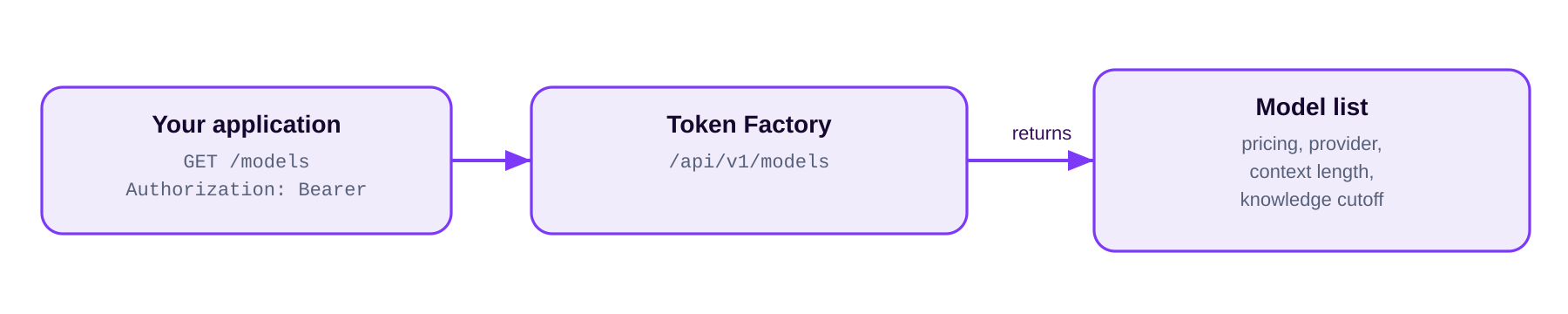
List the AI models available to your account, including pricing, provider information, and technical specifications.
| Method and endpoint | POST {API_URL}/models |
|---|---|
| Base URL (API_URL) | https://gpu-api.exascalelabs.ai/api/v1 |
| Authentication | Bearer access token with refresh-token, or a Bearer API token |
| Returns | A list of models with pricing, provider, and capability details |
HTTP Request
GET {API_URL}/models
Query string parameters
| Parameters | Requirements | Type | Description |
|---|---|---|---|
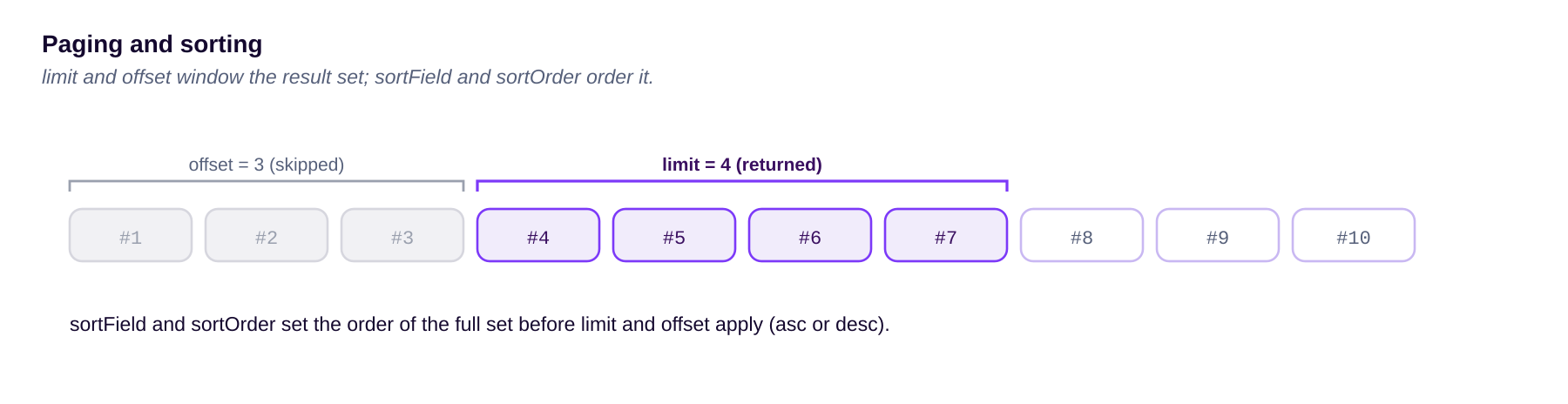
limit | Optional | int | The number of items to return |
offset | Optional | int | The number of items to skip before starting to collect the result set |
sortField | Optional | string | The field by which the data will be ordered |
sortOrder | Optional | string | Sorting order: desc、asc |
Response Attributes
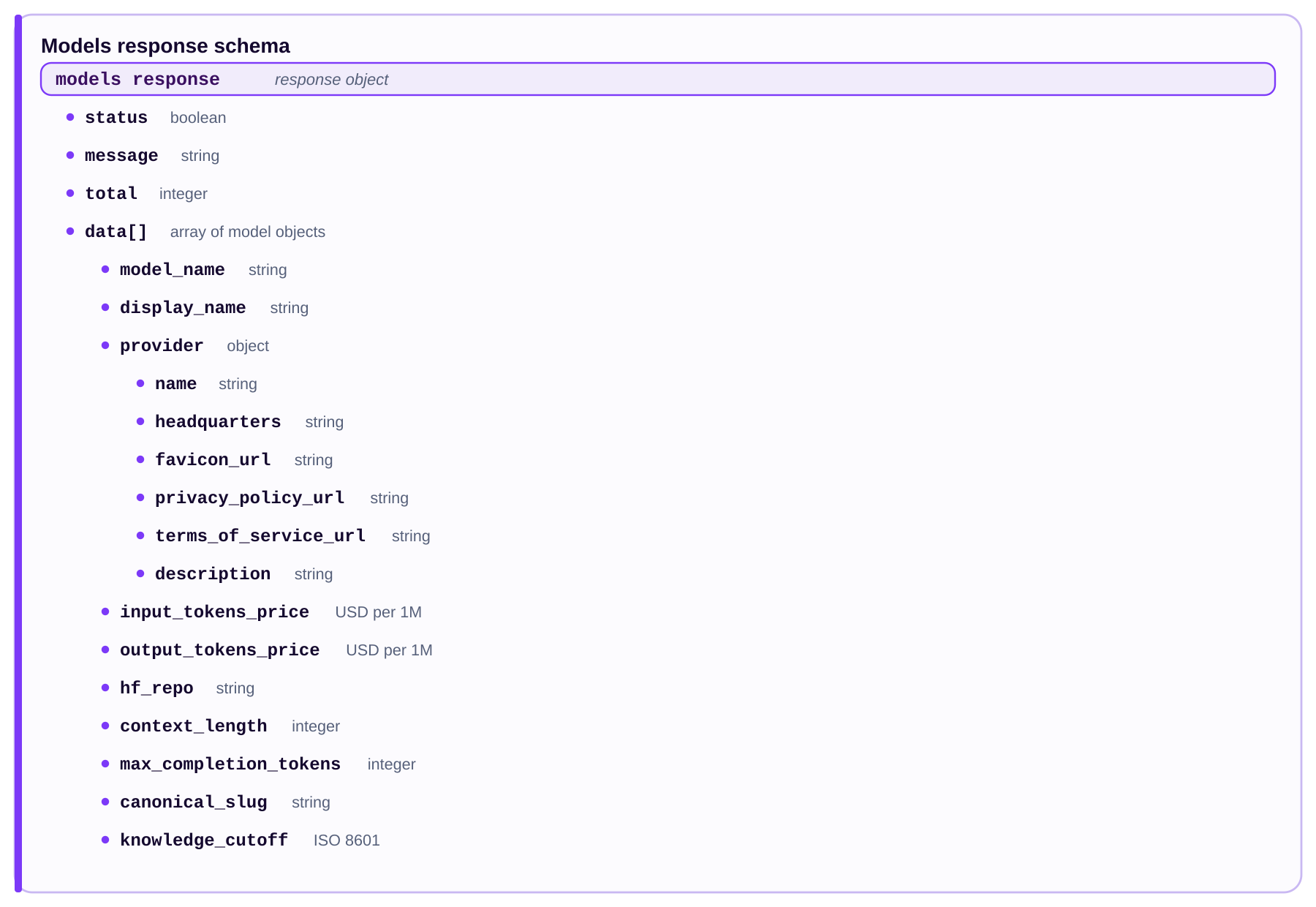
The top-level response contains the following fields:
| Field | Type | Description |
|---|---|---|
status | boolean | The status of the request. true signifies success, while false indicates an error. |
message | string | A message describing the status of the request. |
total | int | Total records count. |
data | object | An array of objects, each containing details about a model. |
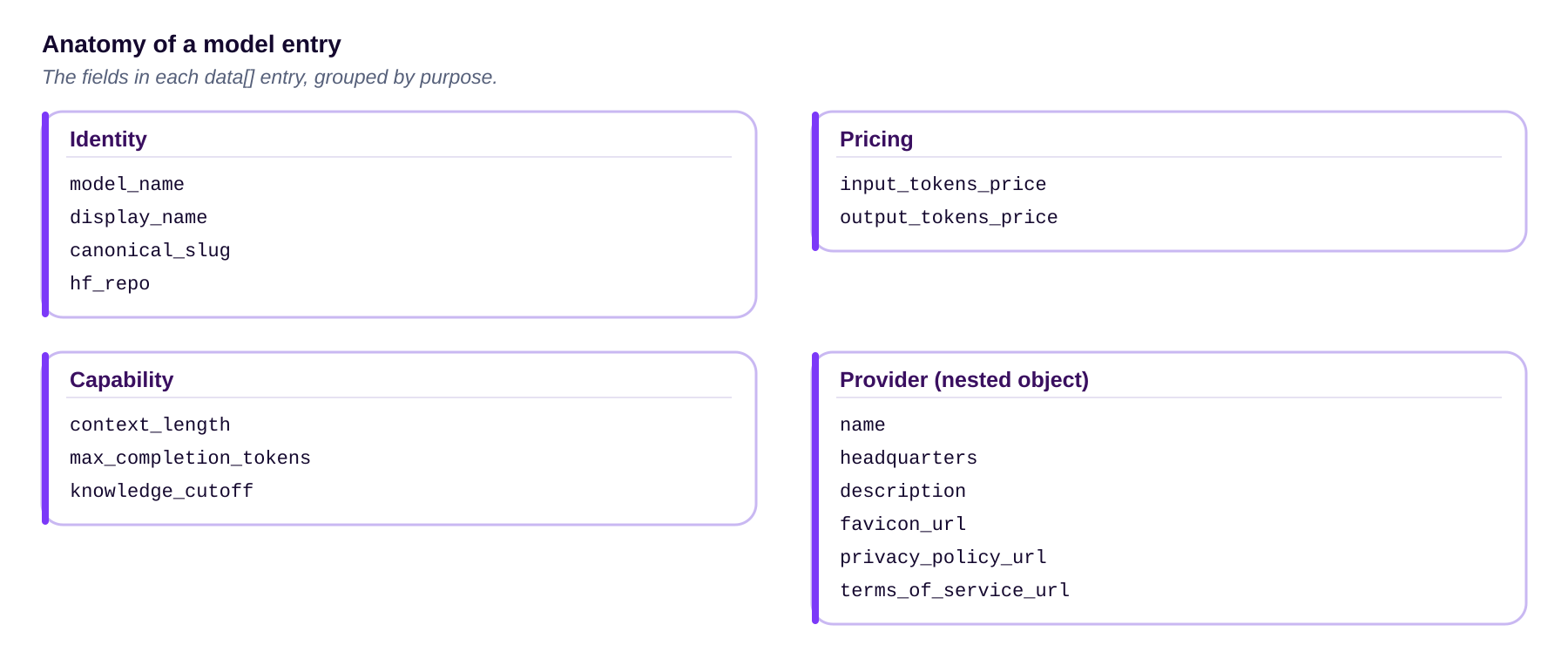
Each entry in the data array includes the following properties:
| Field | Type | Description | Example |
|---|---|---|---|
model_name | string | Name of the model. | MiniMaxAI/MiniMax-M2.7 |
display_name | string | Display name of the model. | MiniMaxAI/MiniMax-M2.7 |
provider | object | The provider of the model (for example, OpenAI, DeepSeek, Qwen). Contains details about the provider. | { "name": "OpenAI" } |
input_tokens_price | object | Price per million input (prompt) tokens. | { "usd": 0.03 } |
output_tokens_price | object | Price per million output (completion) tokens. | { "usd": 0.06 } |
hf_repo | string | Hugging Face repository identifier. | meta-llama/Llama-2-7b |
context_length | int | Maximum context length in tokens. | 4095 |
max_completion_tokens | int | Maximum completion length in tokens. | 2048 |
canonical_slug | string | Unique, normalized identifier used for the model. | minimaxai/minimax-m2.7 |
knowledge_cutoff | string | Date the training data was last updated (ISO 8601). | 2024-06-01T00:00:00Z |
The provider object
The provider field is itself an object with the following properties:
| Field | Type | Description |
|---|---|---|
name | string | The name of the provider (for example, OpenAI, DeepSeek, Qwen). |
description | string | A brief description of the provider and its offerings. |
privacy_policy_url | string | URL to the provider’s privacy policy for transparency. |
terms_of_service_url | string | URL to the provider’s terms of service for user reference. |
favicon_url | string | URL to the provider’s favicon for easy identification. |
headquarters | string | The location of the provider’s headquarters (for example, San Francisco, CA). |
Example
Request
curl -X GET '{API_URL}/models' \
-H 'Authorization: Bearer {ACCESS_TOKEN}' \
-H 'refresh-token: {REFRESH_TOKEN}' \
-H 'Content-Type: application/json'
Or, if you are using an API token:
curl -X GET '{API_URL}/models' \
-H 'Authorization: Bearer {API_TOKEN}' \
-H 'Content-Type: application/json'
Response
{
    "status": true,
    "message": "AI models retrieved successfully",
    "data": [
        {
            "id": "69fef7b5350c9599a3511fdc",
            "model_name": "MiniMaxAI/MiniMax-M2.7",
            "display_name": "MiniMaxAI/MiniMax-M2.7",
            "description": "MiniMax-M2.7 is our first model deeply participating in its own evolution. M2.7 is capable...",
            "provider": {
                "name": "Minimax",
                "description": "",
                "privacy_policy_url": "https://www.minimax.io/platform/protocol/privacy-policy",
                "terms_of_service_url": "https://www.minimax.io/platform/protocol/terms-of-service",
                "favicon_url": "https://gpu.exascalelabs.ai/logos/minimaxai.png",
                "headquarters": "SG"
            },
            "hf_repo": "MiniMaxAI/MiniMax-M2.7",
            "input_tokens_price": {
                "usd": 0.44574
            },
            "output_tokens_price": {
                "usd": 1.81815
            },
            "context_length": 4095,
            "max_completion_tokens": 4095,
            "canonical_slug": "minimaxai/minimax-m2.7",
            "knowledge_cutoff": "2024-06-01T00:00:00Z"
        }
    ],
    "total": 1
}
Code examples
The same request in Python and Node. Because the API is OpenAI-compatible, you can also use an official OpenAI SDK by pointing it at the base URL.
Python (requests)
import requests

url = "https://gpu-api.exascalelabs.ai/api/v1/models"
headers = {"Authorization": "Bearer YOUR_EXASCALE_API_TOKEN"}

resp = requests.get(url, headers=headers)
print(resp.json())
Node (fetch)
const res = await fetch("https://gpu-api.exascalelabs.ai/api/v1/models", {
    headers: { Authorization: "Bearer YOUR_EXASCALE_API_TOKEN" },
});
const data = await res.json();
console.log(data);
OpenAI SDK (Python)
from openai import OpenAI

client = OpenAI(
    base_url="https://gpu-api.exascalelabs.ai/api/v1",
    api_key="YOUR_EXASCALE_API_TOKEN",
)
models = client.models.list()
print(models)
OPENAI SDK USAGE
The SDK approach works because the endpoint follows the OpenAI API style. Treat it as compatibility-based usage and confirm any SDK-specific behavior against the documented REST contract above.
How the model list is used
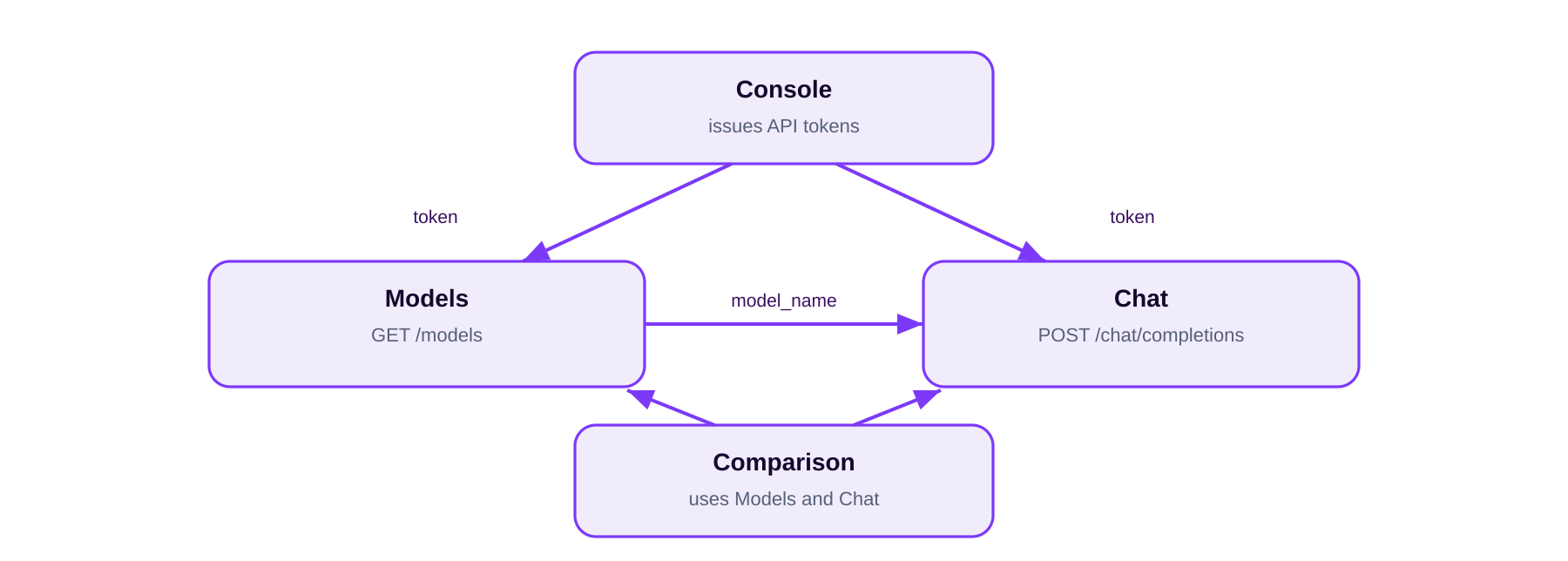
This endpoint is the source of truth for the models available to your account. In the LobeChat integration, the Get Model List button calls it. In the Continue integration, you set each model’s model value to a model_name returned here.
Errors and status codes
PLACEHOLDER
This section is a placeholder. The specific HTTP status codes and the full error response body for chat requests are not yet documented here. Confirm them with the Exascale team, then complete the table.
| HTTP Status | Meaning | Notes |
|---|---|---|
| 200 | Request succeeded | Returns a chat.completion object, or a steam of chunks when stream is set to true. |
| TBD | To be confirmed | To be supplied by Exascale. |
Rate limits
PLACEHOLDER
Rate limits for this endpoint are not yet documented here. Confirm the request and token limits with the Exascale team, then complete this section.
Spending can be capped per API token using the credit limit and reset interval set when the token is created. Each user can hold up to 10 API tokens. The usage token counts returned with each response are the basis for billing.
Sources
This reference is taken from the official Exascale Cloud API documentation.